

RIDE TOGETHER.
STAY TOGETHER.
India’s #1 Group Riding App.
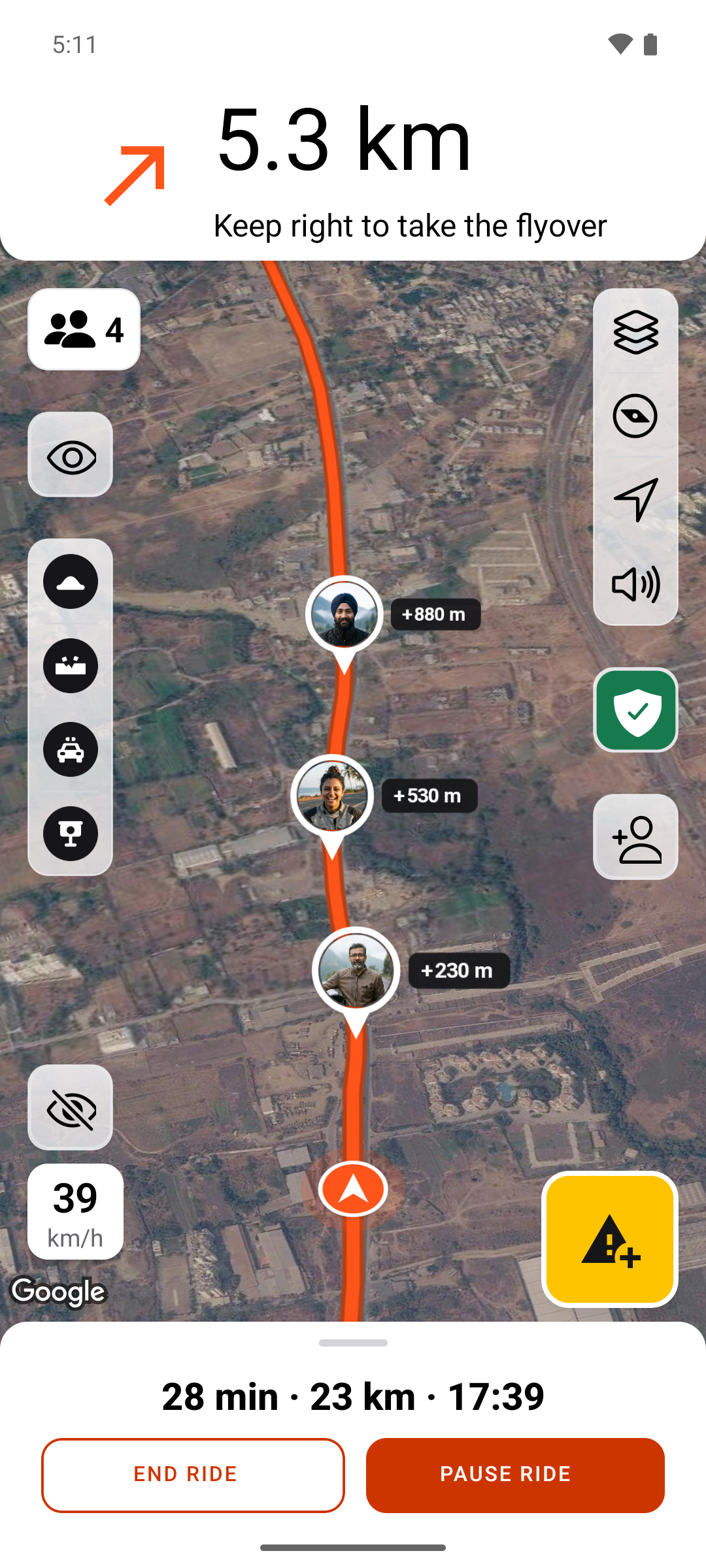
Your whole riding group. One shared map. See where everyone is, from the rider up front to the friend bringing up the rear.
Made for riders in India.SCROLL TO EXPLORE ↓
01 / THE SHARED RIDE MAP
YOUR WHOLE GROUP.
ONE MAP.
Everyone on your ride shares the same view of the group. See where your friends are without calling each rider to ask.
- See where everyone is
- Shared rider positions put the group on one map, so you can check who is ahead and who is behind.
- Know who is leading and looking out
- Keep track of the captain leading the ride and the sweep looking out for the riders at the back.
- Share what is on the road
- Mark hazards such as potholes and road works so riders behind you know what to look out for.
Live positions need location permission and a mobile connection. Updates may be delayed when signal drops. Stop somewhere safe before checking your phone.
FIND YOUR
NEXT ROUTE.
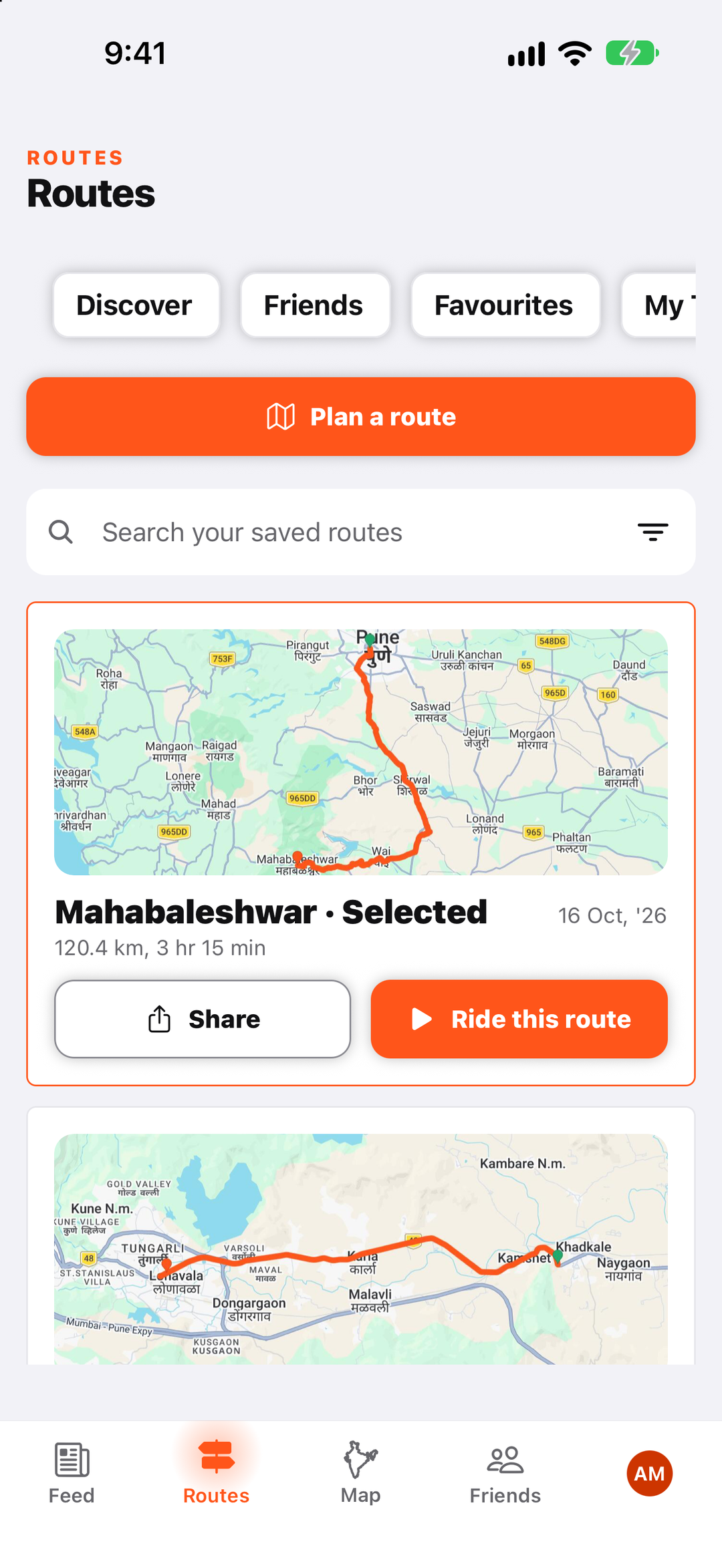
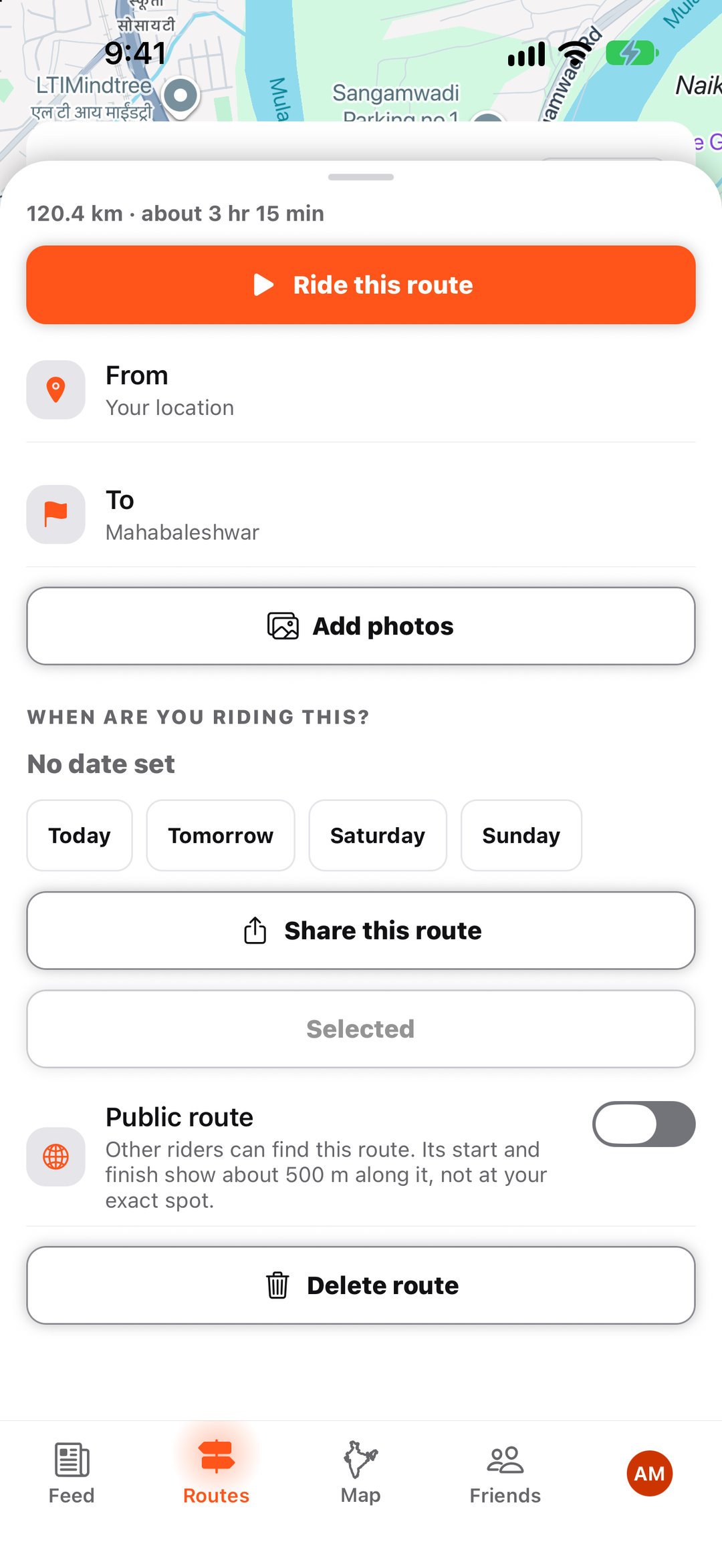
Keep the routes you want to ride in one place. Open a saved route, check the distance and estimated time, and use it to plan your next ride.
Browse routes other riders have made public, find routes from friends, and keep your favourites handy.
Share a route with your group, or choose to make it public for other riders to discover.
Real app screenshots from test rides.
ROAD HAZARDS
SPOT A HAZARD.
LET THE GROUP KNOW.
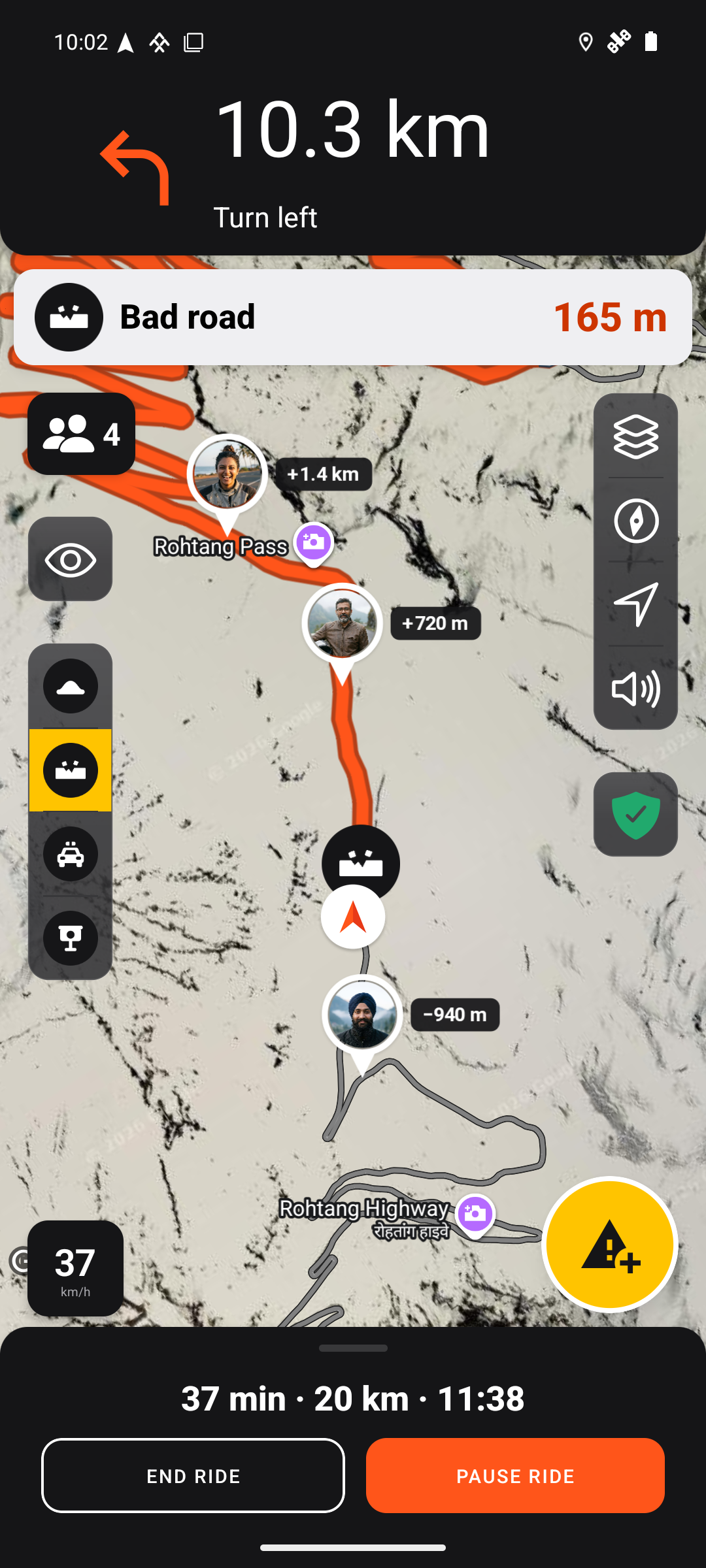
Mark a speed breaker, gravel or another hazard on the shared map to warn the riders behind you.
Reports are shared within your ride. Riders approaching a reported hazard see a warning with its distance ahead.
- Report bad roads, speed breakers, road works, slippery surfaces and other hazards
- See reported hazards marked on the map
- Confirm “Still there” or “Not there” to help keep reports useful
Reports come from riders and may be missing or out of date. Sharing needs a connection. Stop safely before using your phone, and always watch the road.
Meet riders in your city
Open Local to see posts from riders in your city and discover where they ride.
Share a ride. Help another rider.
Post your route, photos and useful tips. Help others find a good road, choose a stop or plan their next ride.



SPECTATOR MODE
LET YOUR LOVED ONES
FOLLOW YOUR RIDE.
Invite family or friends to follow your updates in Ride Saathi. They can check how your ride is going from home.
- Check your ride status and when your location last updated
- Open your last reported location in Maps
- Follow only the rides you choose to share, without seeing your speed or the rest of your group
Updates need a connection and may be delayed. The Watching tab shows ride updates; the location opens separately in Maps.

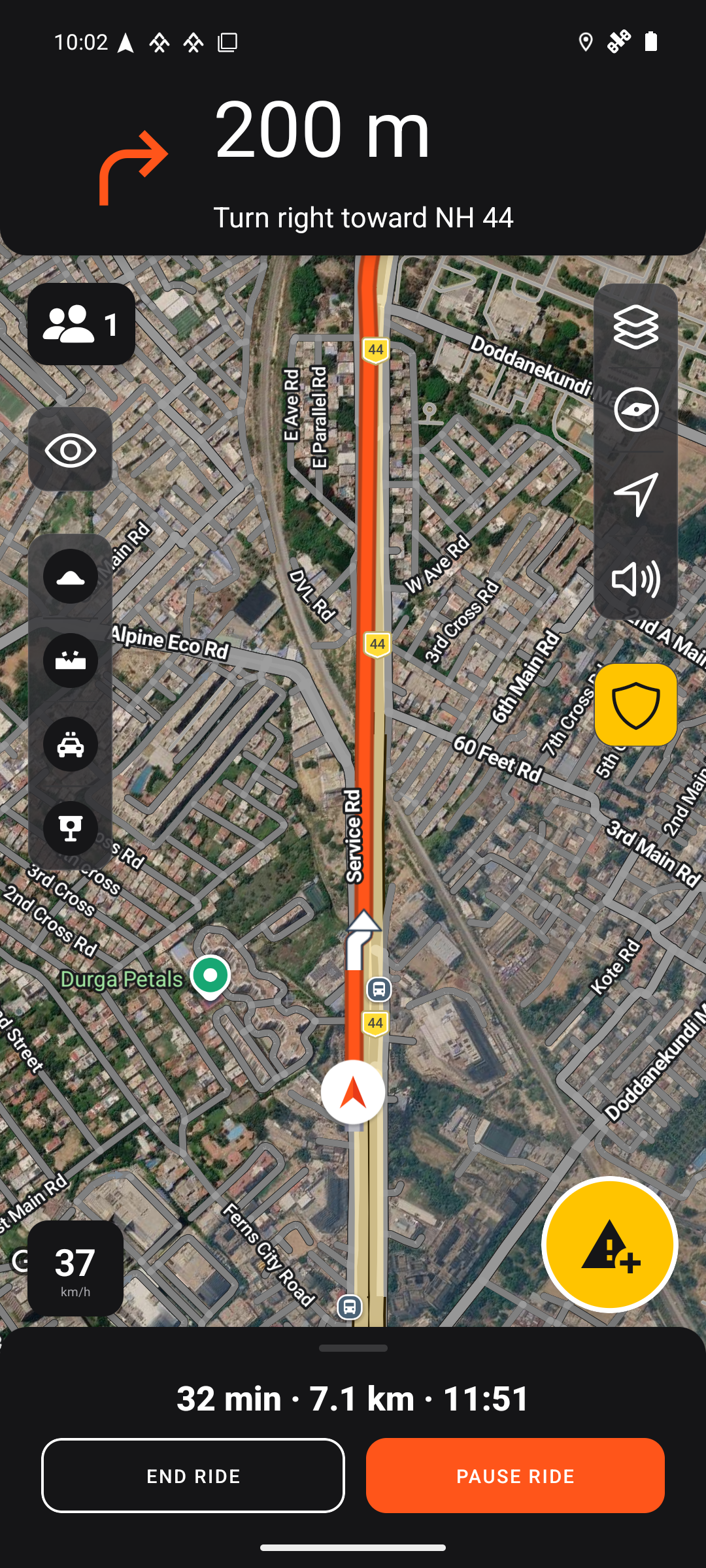
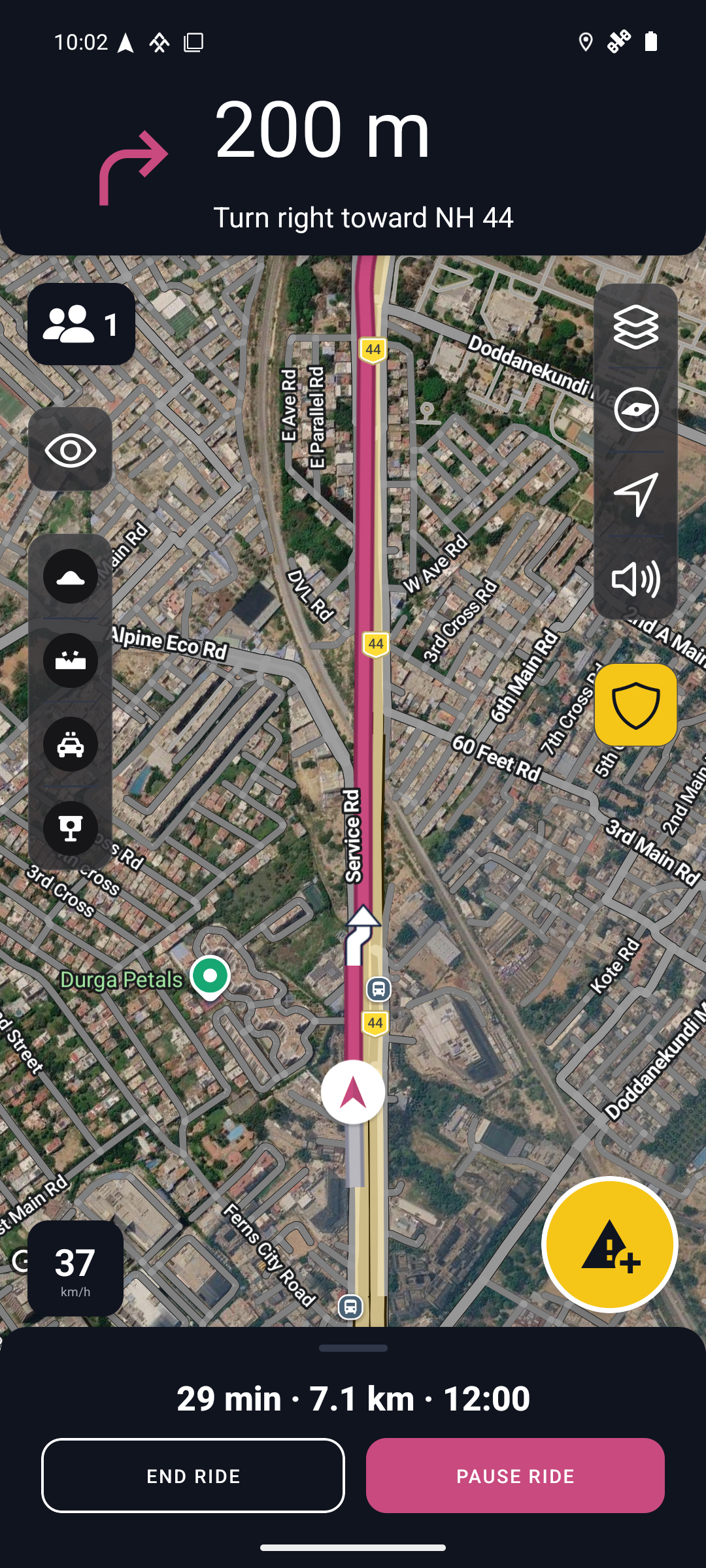
ORANGE OR ROSE
YOUR RIDE.
YOUR COLOURS.
Women riders are welcome, whether you ride solo, join a group or lead one.
Choose Orange or Rose for the app and your map route. Both work with light and dark appearance.
Both themes are available to every rider. Choose yours in Settings under Colours.
On iPhone now. Android coming soon
SOLO OR WITH YOUR GROUP
YOUR NEXT RIDE.
YOUR WAY.
Heading out on your own or bringing your friends? Start now, or work out the route before you go.
Ride now
For a solo ride without a set route. Start recording your ride and head out when you are ready.
Start a ride
Bring the group together. Share the ride link or code, choose whether riders need your approval, and see each other on the shared map.
Plan a route
Choose where you are going and add your stops. Check the distance and estimated time, then use the route for a solo or group ride.
A riding companion. Never your only safety plan.
Ride within your limits. Wear your gear. Stop before using your phone. In an emergency in India, call 112.
MORE FOR YOUR RIDE
MORE STANDOUT
FEATURES.
Live hazard warnings
See warnings as you approach hazards reported by your group, with spoken alerts when sound is enabled. Live sharing needs a connection.
Google Maps, built in
Find places, plan your route and follow turn-by-turn navigation with Google Maps built into Ride Saathi.
Add your riding friends
Send and accept friend requests, keep up with their posts and find routes they have shared.
The Shield
Open the safety centre to manage crash detection, emergency contacts and your alarm. Try the alarm before a ride without alerting anyone.
Crash alerts
When enabled, a suspected crash starts an alarm and countdown. Cancel if you are OK. An unanswered alarm can alert your group and chosen family contacts; it does not call emergency services.
Ride history and statistics
Look back at completed rides and see your riding distance and time by week, month or year.
Map views
Choose road, satellite, terrain or hybrid views, with traffic and 3D map options.
Your route preferences
Set preferences to avoid tolls, highways or ferries when planning your route.
Spoken directions
Hear turn directions and control navigation sound from the riding screen.
Hazard shortcuts
Choose the hazard types you use most for the shortcut buttons on your map.
Appearance options
Choose light or dark appearance, an app icon and Liquid Glass map controls on supported devices.
Is Ride Saathi available to download?
Yes, on iPhone. Get it from the App Store. The Android app is coming soon.
Is this only for long-distance rides?
No. Use it for a short ride with friends or a trip over several days.
Can someone follow my ride without the app?
They need Ride Saathi and must accept your invitation. The Watching tab shows your ride status and when your location last updated. They can open your last reported location separately in Maps.
Does it work when there is no mobile signal?
Live rider positions and group alerts need a connection. GPS and mobile coverage can drop, and a dot on a map may be an older position. Agree on meeting points and a way to get in touch before you set out.
Does a crash alert call emergency services?
No. A crash alert can notify your group and chosen family contacts. It does not dispatch help or confirm that anyone has seen the alert. In an emergency in India, call 112 directly from your phone.
RIDE SAATHI
RIDE TOGETHER.
STAY TOGETHER.
Your whole riding group. One shared map.
On iPhone now. Android coming soon.


The Android app is coming soon.